
Omarchy 4.0: The Distro Is Mostly a Migration Runner
Contents · 目錄
- The problem nobody names
- Migrations are the actual idea
- Updating is a transaction, and the rollback is honest about its limits
- The consolidation instinct, applied twice
- What Hyprland gives you, and what it doesn't
- Against GNOME and KDE
- …and then 425 shell scripts, which is the opposite instinct
- How the AI actually integrates
- What it costs
- What I'd steal
I opened the Omarchy repository expecting to find a theme collection with an installer attached. Version 4.0 — "Quattro" — had just landed on 14 August 2026, the release notes led with a desktop shell rewritten in Quickshell, and the screenshots looked exactly like every tiling-window-manager setup that has ever been posted to r/unixporn. Beautiful, opinionated, Arch, DHH. I assumed I knew the shape of it.
Then I noticed the repo has a migrations/ directory. Eighty shell scripts named after Unix timestamps, with a documented model for how and when they run, a per-user completion ledger, and a hard rule that every one of them must be idempotent.
That is not a ricing decision. That is someone who has been woken up at 3am by a schema change.
The interesting claim in Omarchy is not that Arch can be pretty. It is that a desktop Linux install is mutable state co-owned by two parties who never talk to each other — the distribution, which keeps shipping new opinions, and you, who keeps editing the files those opinions live in — and that this is a data-management problem rather than a packaging problem. Almost nobody treats it that way. Omarchy does, using the exact playbook you would use on a production database: a schema owned by the vendor, data owned by the user, migrations to move between versions, and a transaction with a rollback around every change.
That framing is worth more than the Quickshell rewrite, and it is the part that transfers to machines that will never run Arch.
The problem nobody names
Ship someone a configured desktop and you have created a fork. Their ~/.config starts as your file and ends as theirs, and from that moment you have three bad options.
You can own it — overwrite on every update, and lose the user's changes. You can abandon it — write it once at install and never touch it again, which is what most distributions do, and which means a machine installed in 2024 slowly becomes a museum of the defaults that shipped that year. Or you can declare it away: NixOS's answer, where configuration is a function of a config file and the machine is rebuilt rather than modified. That last one genuinely solves the problem, at the price of making every small tweak a build.
Omarchy takes a fourth path, and it is the one that most software actually lives on: keep the state mutable, and manage its evolution explicitly. Two layers plus a migration runner.
The layering is a load order. /usr/share/omarchy belongs to the package, ~/.config belongs to you, and — because Hyprland now takes Lua — your file calls theirs. The shipped config/hypr/hyprland.lua is, essentially, in full:
-- Omarchy's bootstrap keeps path setup out of this user config.
dofile((os.getenv("OMARCHY_PATH") or "/usr/share/omarchy") .. "/default/hypr/bootstrap.lua")

-- Load Omarchy defaults.
require("default.hypr.omarchy")

-- Put your personal overrides in these files. They're loaded after Omarchy's
-- defaults so package updates can improve the defaults without rewriting your
-- ~/.config/hypr files.
require("hypr.monitors")
require("hypr.input")
require("hypr.bindings")
require("hypr.looknfeel")
require("hypr.autostart")
Config as a program rather than a document. The consequences are pleasant: opting out is a flag, not a fork (omarchy_default_bindings = false drops every default binding; omarchy_preinstalled_bindings = false drops only the ones that launch bundled apps, keeping the window-management core), and there is room for a small DSL on top, so a window rule reads o.window("qemu", { workspace = "5" }) instead of a windowrulev2 string you have to get the regex right in.
The theory has one visible crack, and the manual points at it rather than hiding it: ~/.config/omarchy/shell.json, which configures the bar, is canonical once you write it. "There's no deep merge, so new default widgets in future Omarchy releases won't appear on your bar automatically." Touch your bar, and your bar stops receiving the future. It is a defensible call — a merged layout is a layout nobody designed — but it is precisely the place where "your file calls ours" degrades back into a fork, and it is worth knowing before you drag a widget.
Migrations are the actual idea
Layering handles config that a package can rewrite. It does nothing for the other category: state that needs repairing rather than replacing. A systemd user unit that has to be re-enabled. A preference file whose format changed under an app. A symlink that pointed somewhere that no longer exists. Packages are declarative; these are one-time fixes to a machine's history, and pacman has no vocabulary for them.
Omarchy's agents/skills/migrations.md states it flatly:
Omarchy migrations are one-time repair scripts for existing installs. They are used when a package update needs to change state that pacman cannot safely own by itself.
The design is small, and every part of it reads like scar tissue. Migrations are migrations/<unix-timestamp>.sh, run through omarchy-migrate — which first waits for any in-flight pacman transaction to finish. They run as the user, not root, because most of what they repair lives in $HOME. Completion is tracked per user, in ~/.local/state/omarchy/migrations/, so on a two-account laptop the second person still gets every fix. Which is exactly why the guide makes idempotency mandatory: a machine-wide repair already applied by the first user must be detected and skipped by the second. And because an update can happen without a login, omarchy-migrate-notify.service starts with the graphical session and tells you when migrations are pending.
Nobody writes "completion state is per-user, therefore migrations must be idempotent" from first principles. You write it after a bug report from a family machine.
This is Rails' schema migrations pointed at $HOME, and I mean that as the compliment it sounds like. It is also, as far as I can tell, the mechanism that makes the rest of Omarchy's promises survivable: you can only claim "one command updates everything" for two years running if you have somewhere to put the fixes that packaging can't express.
Updating is a transaction, and the rollback is honest about its limits
Given migrations, the rest follows. omarchy update snapshots the root filesystem, updates packages from Omarchy's own Arch mirror plus the AUR, runs omarchy-migrate, then fires omarchy-hook post-update. Running pacman or yay yourself is blocked — deliberately, to keep snapshots and migrations from being bypassed.
That blocking is the interesting bit. It is the moment an opinionated distro stops being a preference and starts being a contract: you cannot have a coherent update story and also let the user step outside it. Arch users will hate this, which is fine, because they are not the audience. The release channels make the same bet from the other side — stable deliberately lags official releases by about a month so that somebody else finds the incompatibilities, with edge, rc and dev available to whoever wants to be that somebody.
Rollback is a boot-menu entry: snapshots require the Limine bootloader, you pick one by date and version at boot, then run omarchy-snapshot restore. And then the manual says the thing I did not expect it to say:
This will restore your root filesystem, but not your
/home.
~/.config is untouched by a rollback too, which means rolling back to yesterday's application versions can leave them reading config files written by tomorrow's. So the snapshot is not a backup and not a full rollback; it is an undo for a broken update, and nothing more. Stating that in the manual, in one sentence, next to the feature, is worth more than the feature. Most vendors would have let you find out.
The consolidation instinct, applied twice
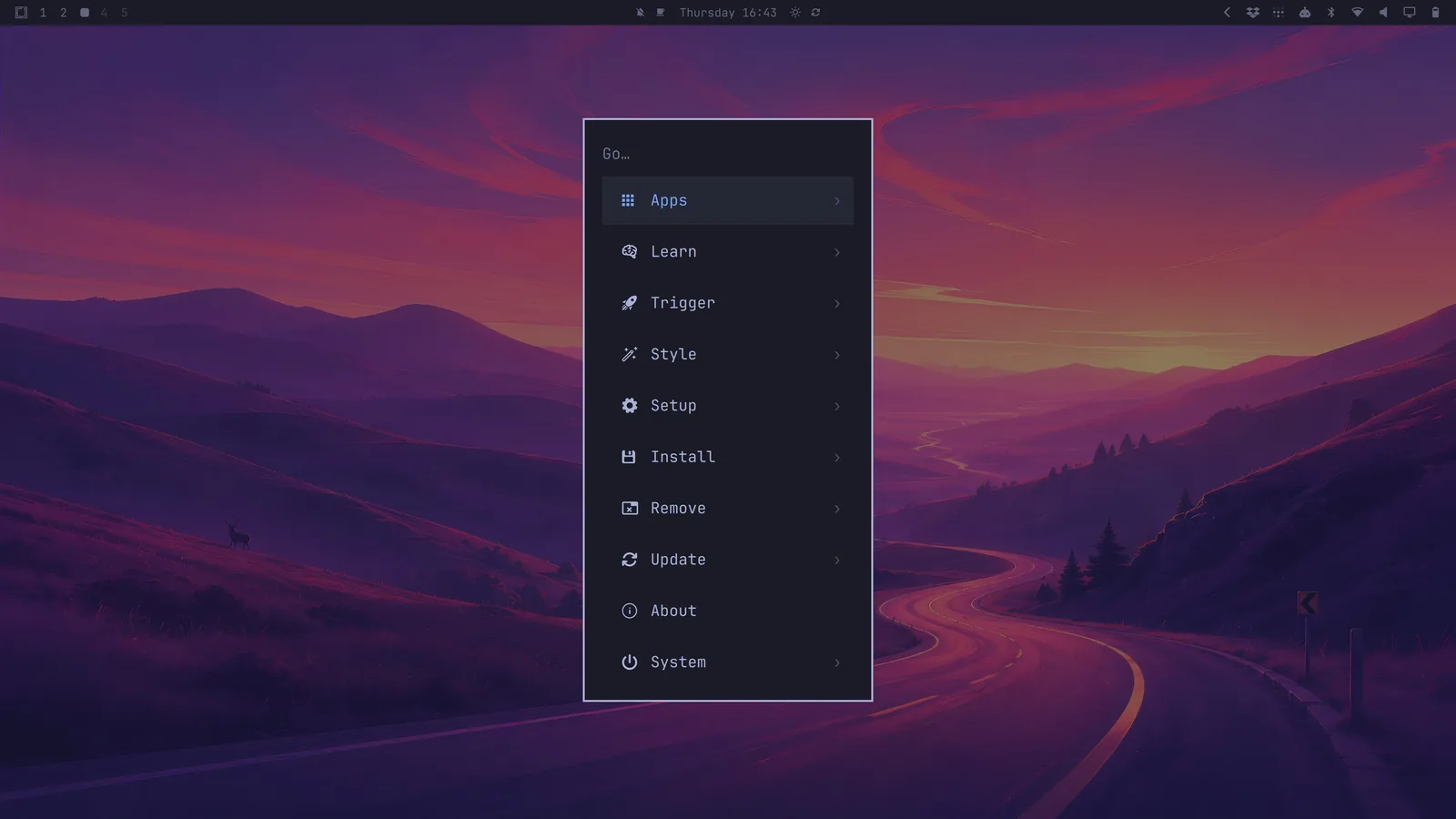
Now the headline feature, which reads differently once you see the pattern.
A normal Wayland desktop is a federation of small daemons: Waybar for the bar, Mako for notifications, Walker for the launcher, something else for the lock screen, each with its own config dialect and its own idea of what your accent colour is. Omarchy 4.0 collapses all of it into one long-running Quickshell process in which the bar, menu, notifications, OSD, panels and lock screen are plugins. The shell/README.md gives three reasons, and they are the correct three: shared services exist once instead of once per process, summoning a panel is IPC into something already running rather than a cold start, and third-party plugins load from disk without patching Omarchy.
It is the same instinct as the update pipeline — one owner, one coherent story, fewer seams — applied to the UI instead of to state. The migration PR ran to hundreds of commits across 216 files and merged to a quattro branch rather than dev, which is at least honest signalling about the blast radius. DHH's claim is under 300 MB of runtime memory once shared libraries are accounted for; I have not measured it, and "once you account for shared libraries" is doing some work in that sentence, but one Qt process amortising what five processes duplicated is directionally obvious.
The tell that the consolidation went further than the release notes: on the quattro branch, config/hypr/ no longer contains hyprlock.conf or hypridle.conf. Locking and idle are the shell's job now.
The cost of a single coherent shell is the thing I flagged earlier — the moment you customise it, you own that layout forever. Coherence and mergeability are in tension, and Omarchy picks coherence every time. You can see the choice repeating.
What Hyprland gives you, and what it doesn't
"Omarchy is Hyprland with themes" is the summary I keep seeing, and it is wrong in a specific way. Hyprland is a compositor: it arranges windows, handles input, draws borders and animations, and exposes an IPC socket. It is not a desktop. No bar, no notifications, no launcher, no clipboard history, no screenshot flow, no power menu. A working Hyprland desktop is six to ten independent programs from six to ten independent maintainers, and assembling them is a weekend.
Keeping them alive is not, and upstream has just demonstrated why: Hyprland 0.55 deprecated hyprlang in favour of Lua — the entire configuration language. Omarchy's answer to a config-language deprecation is a directory that already exists. Its own .conf files became .lua files in 4.0, the two-layer loader made the defaults half of that move the package's problem rather than yours, and anything a package cannot express is a timestamped repair script. Same compositor, same ecosystem, same screenshots; the difference is entirely in who absorbs upstream's churn.
I have written that argument out properly, including the three coherent ways to answer it, in Hyprland Gives You a Compositor, Not a Desktop.
Against GNOME and KDE
The stranger comparison is upward, because Omarchy 4.0 has quietly converged on the architecture of the desktops it is nominally a rebellion against. GNOME Shell is one long-running process with in-process extensions; KDE splits compositing from plasmashell but still hosts applets in one shell process; Omarchy started from a pile of independent daemons and consolidated to one Quickshell process hosting the bar, panels, notifications and lock screen as plugins. Two directions, one destination — because shared state and instant panels want a single owner, and everyone who ships a desktop eventually finds that out.
What actually separates them is not process count but what their layering is for. GNOME's dconf lock lists and KDE's KConfig cascade exist so an administrator can freeze policy on a fleet. Omarchy's layering exists to keep improving your config after you have edited it — which is why the interesting piece is downstream of the layering, in the migration runner. Neither big desktop has one for user state, and you feel the absence every time an upgrade leaves you with a broken extension.
That comparison, the dconf-as-a-binary-store consequence, and the case for what GNOME and KDE still do better are all in Against GNOME and KDE — and Why Every Desktop Converges on Them Anyway.
…and then 425 shell scripts, which is the opposite instinct
Here is where the architecture stops being tidy, and I think it is right not to be.
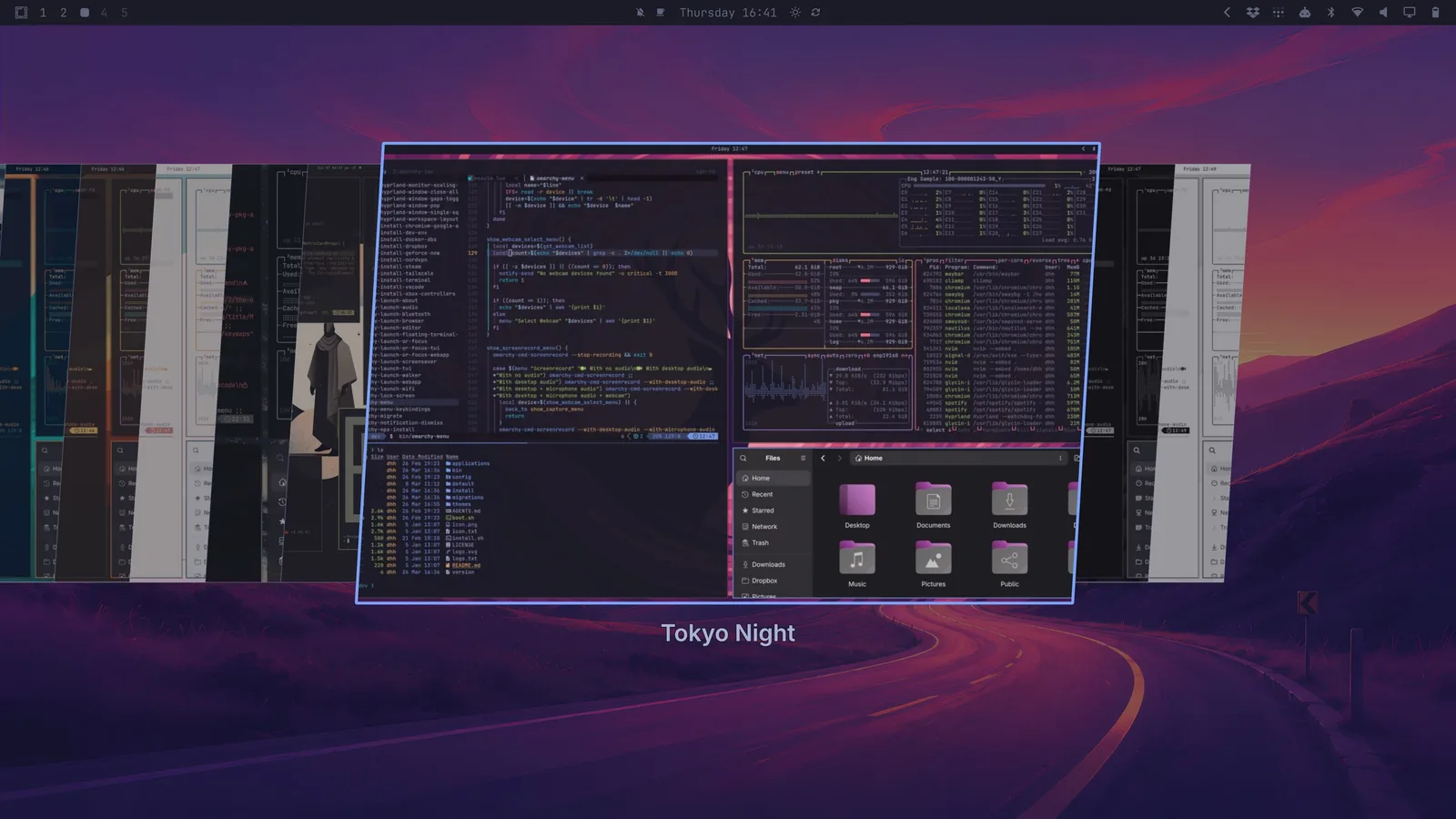
bin/ holds 425 executables. All named omarchy-<prefix>-<thing>. All bash. The prefix is the taxonomy — hw- detects hardware, capture- grabs screenshots and recordings, install- adds optional software, setup- runs wizards, refresh- copies a default config into ~/.config, plus restart-, toggle-, theme-, pkg-, launch-, update- — and bin/omarchy is a router that turns that naming convention into a browsable CLI, with a GROUP_DESCRIPTIONS table mapping prefixes to groups and a # omarchy:hidden=true marker for commands that should route but not advertise.
No framework, no plugin API, no abstraction to speak of: a naming convention and a case statement. And because the same router drives the graphical menu, every menu item has a command-line address — omarchy menu summon style.theme jumps straight to theme selection, omarchy menu toggle system, omarchy menu close. That property is why a shipped desktop can be scripted at all.
Then there is my favourite listing in the repository:
omarchy-hw-asus-expertbook-b9406     omarchy-hw-intel-ptl
omarchy-hw-asus-rog                  omarchy-hw-intel-sof
omarchy-hw-asus-zenbook-ux5406aa     omarchy-hw-nvidia-gsp
omarchy-hw-dell-xps-haptic-touchpad  omarchy-hw-nvidia-without-gsp
omarchy-hw-dell-xps-oled             omarchy-hw-surface
omarchy-hw-framework16               omarchy-hw-touchpad
omarchy-hw-hybrid-gpu                omarchy-hw-touchscreen
These return exit codes, for use in conditionals. There is no clever generalisation here and there shouldn't be, because there is nothing general about them: this is the tacit knowledge that normally lives in a 2023 forum thread about one specific laptop, checked into git under a filename you can grep. When a distribution "just works" on the machine you happen to own, this is what that feeling is physically made of — someone wrote your model number down.
Theming works the same way, one level up. A theme is a directory whose essential file is colors.toml, and from that palette Omarchy generates config for Foot, Alacritty, Ghostty, Kitty, btop, Chromium, Hyprland, Neovim, Helix, VS Code, Obsidian and every surface of the shell. Unsupported app? Drop an [appname].tpl into ~/.config/omarchy/themed/ and reference {{ accent }} or {{ color0 }}–{{ color15 }}. Twenty-two themes ship. Theming is a compiler with a palette as its input, which is the only reason twenty applications that have never heard of each other end up agreeing on a colour.
How the AI actually integrates
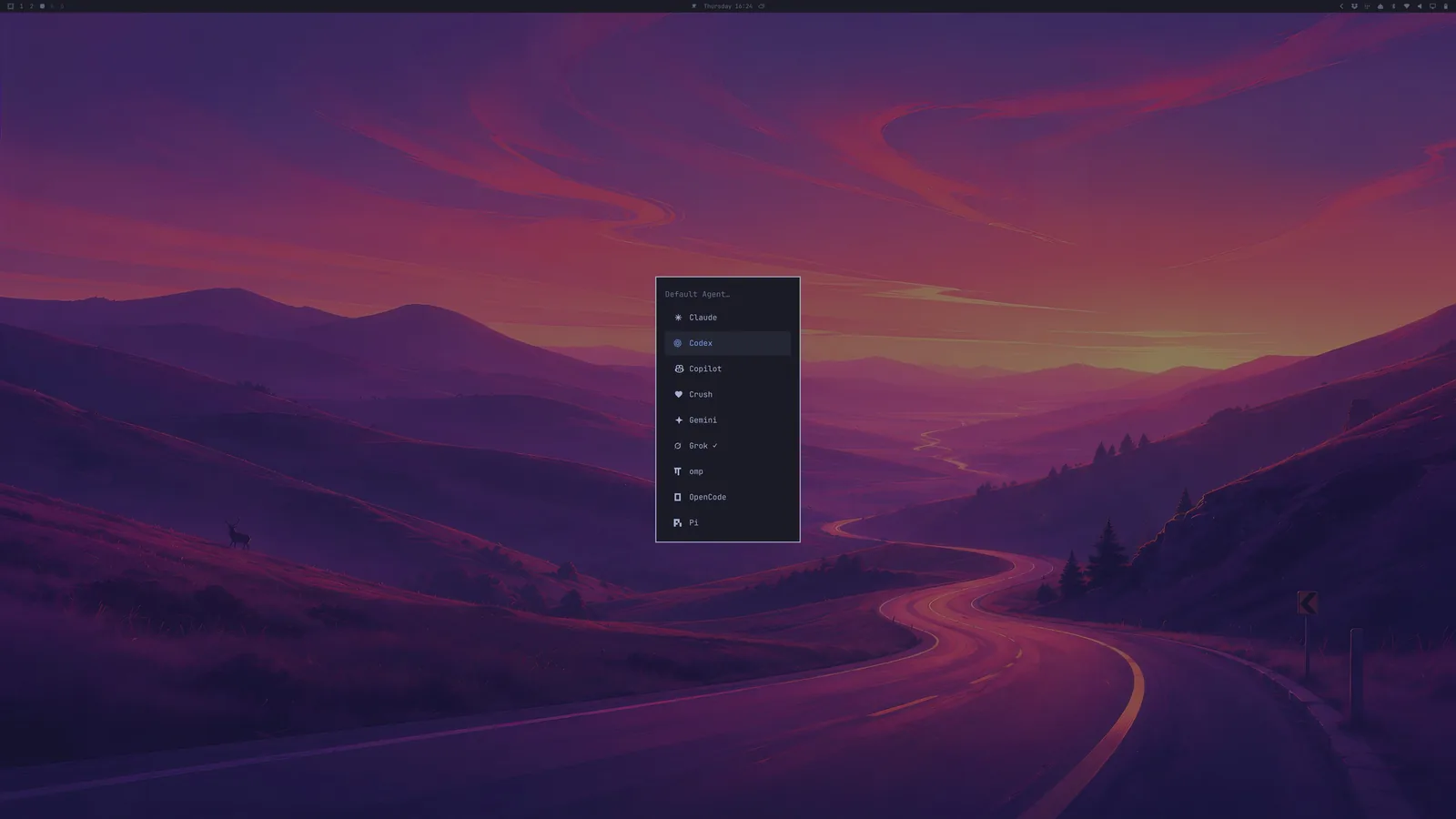
Most "AI-powered OS" claims resolve, on inspection, to a chat window with a shortcut. This one is structured, and it is structured in three distinct layers that are worth separating, because they are of very different quality.
Layer one: agents as first-class applications. Nine coding-agent CLIs — Claude, Codex, Copilot, Crush, Gemini, Grok, omp, OpenCode, Pi — installed lazily through mise on first use, so the ISO carries launchers rather than nine Node trees. You designate one with omarchy default agent <name>; Super + Shift + Ctrl + A opens it. The details are where you see actual desktop-integration thinking: the agent window gets a fixed --app-id=org.omarchy.agent rather than the per-binary default, so window rules and themes can target agents as a category regardless of which vendor you picked, and the launcher quietly changes directory out of $HOME into ~/Work first, because — per the comment in the script — "agents refuse to remember trust for $HOME." Someone used this daily before shipping it. There is also a bar widget polling omarchy-agent-usage-claude, -codex, -fireworks every 15 minutes, so your token burn sits next to the battery indicator. That is a fairly precise snapshot of what 2026 development feels like.
Layer two: the desktop as a tool surface. This is the part I find genuinely clever, and it is not an AI feature at all — it is the CLI-first design paying an unexpected dividend. Because every menu entry has a command-line address (omarchy menu summon style.theme, omarchy theme set <name>, omarchy bar move omarchy.clock --section center --index 0), an agent asked to "make my bar show the weather on the left" has a real API to work against instead of a screenshot and a dream. Omarchy then closes the loop by shipping an Agent Skill describing its own conventions, symlinked into the agent directories. Its rules are exactly the invariants this whole post has been about:
For end-user customization tasks, NEVER modify anything in
/usr/share/omarchy/— but READING is safe and encouraged. This directory is owned by the omarchy package. Any local changes will be overwritten on the nextomarchy update.
The vendor/user boundary, taught to the machine's other operator. If you accept that agents will be editing dotfiles on real machines — and they will — then documenting which half of the filesystem is yours to write is not a gimmick, it is the minimum viable safety rail. It also, revealingly, is the same document a new human contributor would need.
Layer three: the OS handing work to the agent. systemd-coredump is wired to omarchy-agent-crash, which is a small, unglamorous script: take a PID, look up the crash time from coredumpctl, assemble a prompt containing process name, PID, binary, signal and timestamp, point the agent at the diagnose-crash skill — and, nicely, tell it to just read the skill file directly if its harness has no skill mechanism. Then exec omarchy-agent --prompt. A "Process crashed" notification is a clickable handoff to whichever agent you happen to prefer.
Away from coding agents, the AI story is smaller and more sensible than the marketing would allow: dictation via Voxtype behind a hold-to-talk F9 (a 150 MB base English model, configured in ~/.config/voxtype/config.toml), and OCR that is plain old Tesseract on a region select, straight to the clipboard. No model in that path at all, and no worse for it.
Now the part that deserves scrutiny. Every agent launched from the hotkey or the menu starts auto-approved. From bin/omarchy-agent, verbatim:
# Agents launched from the keybinding or menu run unattended, so each one starts
# with its own spelling of "don't stop to ask". Pi has no approval prompts.
In practice: claude --permission-mode auto, gemini --yolo, copilot --allow-all, grok --permission-mode bypassPermissions, codex --approve-for-me, crush --yolo. On a machine that also offers a 15-minute passwordless-sudo toggle in its menu. I understand the reasoning — an agent that stops to ask is useless from a keybinding, and the whole distribution is built on removing friction between an intent and its execution — but this is the sharpest version of Omarchy's recurring trade, and unlike the snapshot caveat it is not called out in the manual. It is a decision worth making consciously rather than discovering from a shell script.
Where does that leave the "AI-native OS" claim? Mostly earned, but not for the reason the feature list suggests. The agent picker is the least interesting part; anyone can bundle nine CLIs. The reason agents work well here is that Omarchy made the desktop addressable — every action a command, every command discoverable, every convention written down — years before it bundled anything. That work was done for scripting and it happens to be exactly what an agent needs. The lesson generalises past Linux: the best thing you can do to make a system AI-operable is to give it a good CLI and honest docs.
What it costs
The constraints are real and, to the project's credit, documented rather than discovered. Secure Boot and TPM must be off, LUKS is on by default, and since the passphrase is typed before anything USB-agnostic is running, a Bluetooth keyboard cannot unlock the machine. Snapshots skip /home and ~/.config. Customising shell.json forks your bar. pacman is off the table. Unattended installs read a cidata drive whose disk_encryption block holds a plaintext passphrase, making that ISO a credential — and encrypted installs still need a human at first boot anyway. Agents launched from the hotkey run auto-approved, which the manual does not mention. The network posture, by contrast, is tight by default (everything inbound blocked except port 53317 for LocalSend, SSH off until you enable it), which I like. And support is a manual plus a Discord; for anything unusual — Asahi on Apple Silicon, a Steam Deck, a VM — you are in #omarchy-on-other.
Notice that most of those are the same trade made repeatedly: coherence over configurability, one owner over merged ownership. Whether Omarchy is for you reduces almost entirely to whether you want that trade, and the manual is unusually good at letting you answer that before you burn an ISO.
What I'd steal
Strip the wallpapers and there are four ideas here that have nothing to do with Arch:
Ship migrations with your configuration. Timestamped, idempotent, with per-recipient completion state. Anyone who distributes config to machines they don't control eventually needs this, and most of us reinvent it badly and late.
Make the user's file load the vendor's file, with named flags for opting out, instead of merging two documents and hoping.
Give every GUI action a CLI address. Scripting becomes free, and agent-operability comes along with it for nothing.
Write the quirks down as code. omarchy-hw-dell-xps-oled is a more useful artefact than any wiki page about that laptop will ever be.
Write down which half of the filesystem you own, in a document an agent will read. Omarchy's skill file says "never modify /usr/share/omarchy" to a coding agent for the same reason its manual says it to a human, and both audiences are about to start editing your config.
The Quickshell rewrite is what made the release notes, and it deserved to. But in two years the load-bearing part of this project will still be a directory of timestamped shell scripts and a rule that says they must be safe to run twice.
Read against the Omarchy manual and the quattro branch as of 18 August 2026. Counts are from that tree; the memory figure is DHH's, not mine. Screenshots are from the Omarchy 4.0 release (MIT).